A conference app for academic symposia and department events
Free registration with custom questions, a multi-track agenda, and remote speakers streamed into the room. One flat price per event, quoted by email, with no per-attendee fee and no per-seat charge for student volunteers.
What a symposium needs, on a department budget
There is no per-attendee fee, so free registration for 400 people costs the same as for 40. If your institution is a nonprofit, ask about the nonprofit discount.
Free registration with custom questions. Collect affiliation, poster title, and dietary needs on the registration page. Promotional codes and paid tickets are there if you charge a fee.
Grad students run check-in. Organizer logins are unlimited, so each volunteer signs in and scans QR codes from their own phone. Scanning needs a connection, so put a phone hotspot at the door rather than trusting venue Wi-Fi.
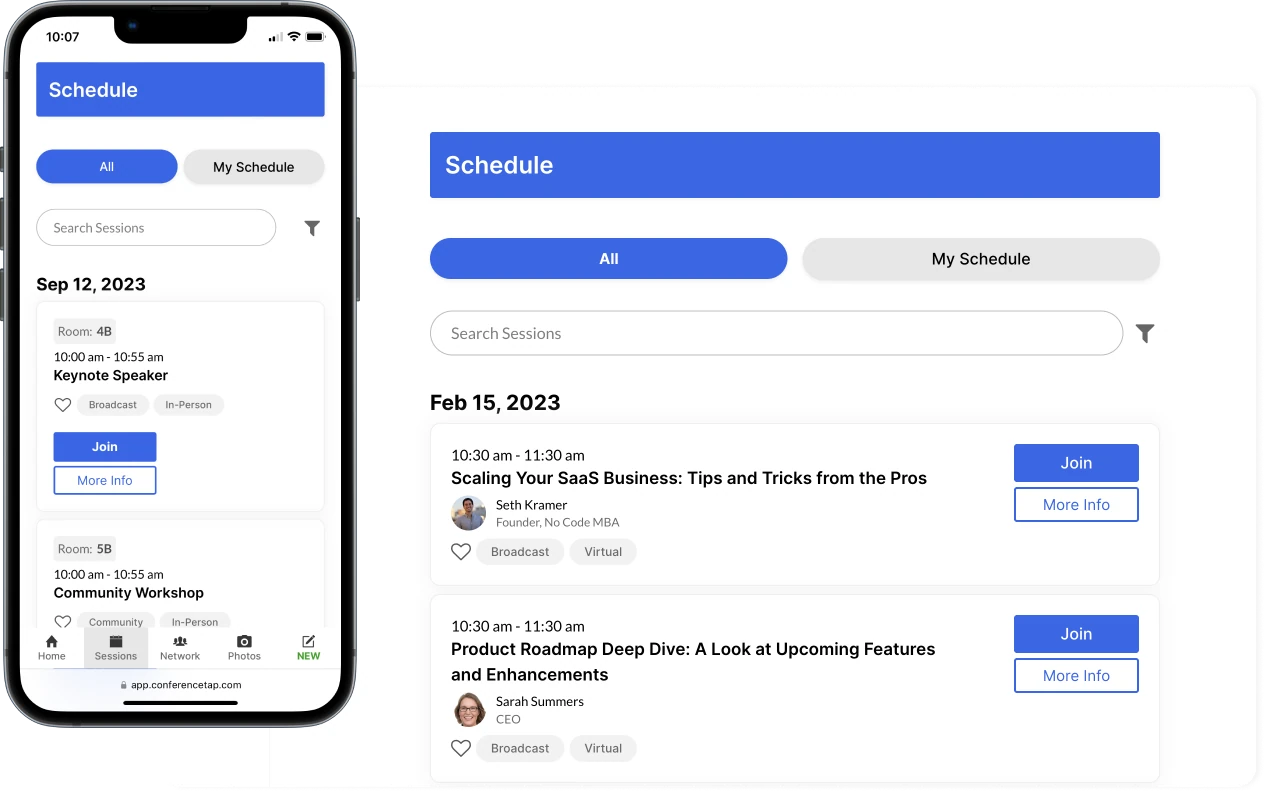
A multi-track agenda. Personal bookmarks, speaker profiles, room locations, and floor plan upload.
The quote is a number. Tell us dates and expected attendance. Seth emails a price you can attach to the requisition. No sales sequence.
Paid tickets have published fees. If you charge a registration fee, paid tickets carry 3.5% to ConferenceTap plus Stripe processing, settled in your own Stripe account.
Start on the free trial. Up to 100 registrations, events up to 2 hours, self-guided onboarding. Run a seminar on it before procurement sees a purchase order. The trial does not include QR check-in or multi-track agendas.
A remote keynote in a physical room
Mark the keynote as a hybrid session. The speaker joins from their office on a laptop. In the room, a volunteer's laptop joins the same session and puts it on the projector. If you want the speaker to see and hear the audience, the room needs its own camera and audio feed; a webcam pointed at the seats is the minimum. Questions from the room and from remote attendees land in the same Q&A list.
What to send procurement
Three documents are public: the privacy policy, the data processing agreement, and the terms. Send security questionnaires to seth@conferencetap.com and Seth answers them himself. If your procurement office has a security or accessibility questionnaire, send it before the demo and it comes back answered, so nobody fills in forms for nothing.
See how hybrid events work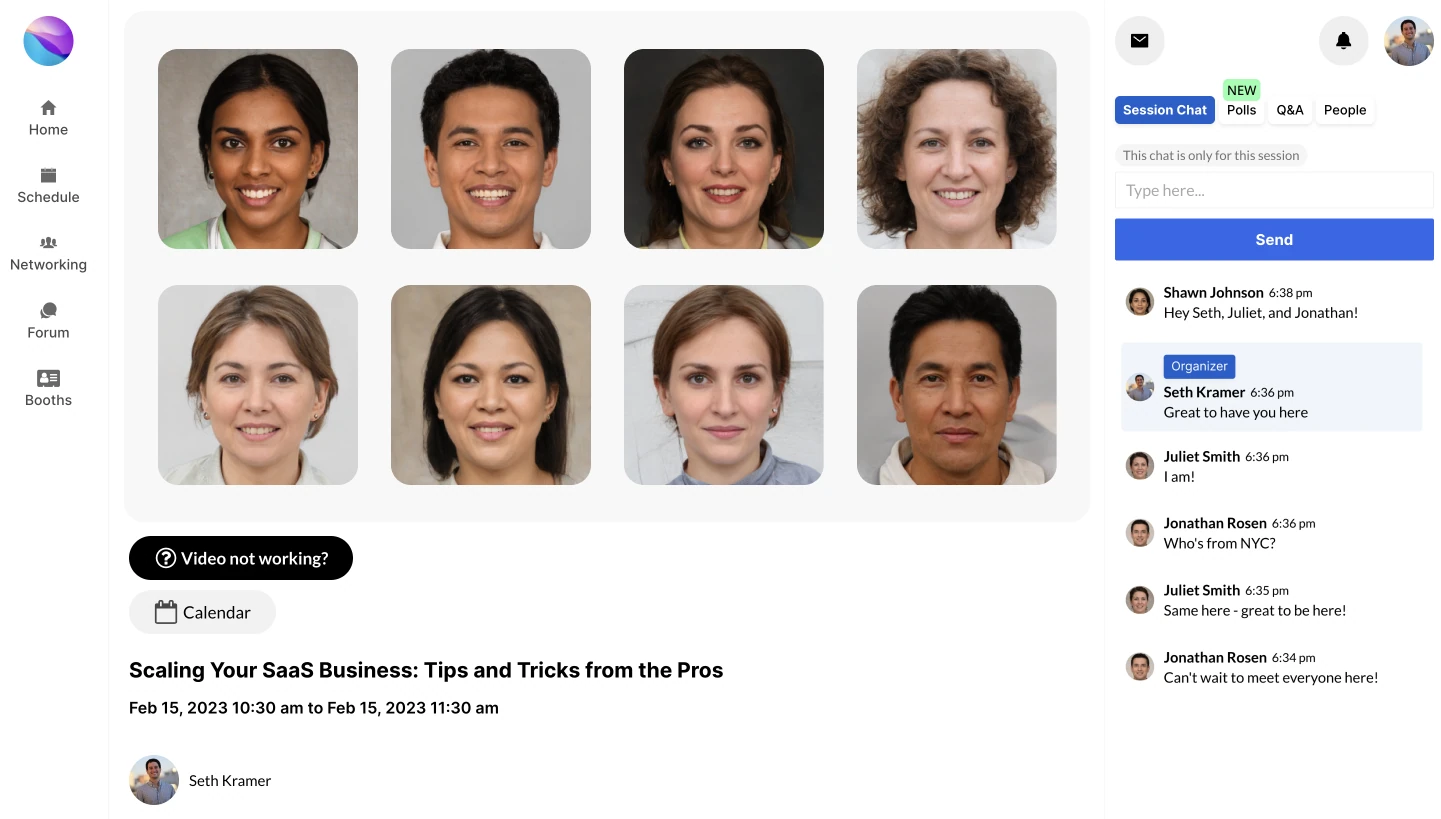
What is included for academic conferences
- Unlimited registrations, free or paid, with custom questions and promotional codes
- Unlimited organizer logins for faculty chairs, coordinators, and grad-student volunteers
- Multi-track agenda with personal bookmarks, speaker profiles, room locations, and floor plan upload
- Hybrid live sessions shown in the room, up to 15,000 attendees in one session, and recordings
- QR check-in from a volunteer's phone or tablet
- ConferenceTap logo removed, with your department color and banner
- 1:1 onboarding and training, a designated customer success manager, email and chat
Questions department administrators ask
Do students need to install anything?
Nothing from an app store. Attendees open the event on a phone or laptop. ConferenceTap is a web app, so there is nothing to install.
Can grad students run check-in?
Yes. Organizer logins are unlimited, so each volunteer signs in and scans QR codes from their own phone. Scanning needs a connection, so put a phone hotspot at the door rather than trusting venue Wi-Fi.
What paperwork can I give procurement?
The privacy policy, data processing agreement, and terms linked above. Security questionnaires go to seth@conferencetap.com.
Who am I dealing with?
Seth Kramer, founder and CEO. Demo requests go to his inbox. Paid plans add a designated customer success manager and 1:1 onboarding and training.
Built for conferences like yours


Open a real event agenda
One Event covers the symposium and Unlimited Events covers the year. Both are flat-rate with unlimited registrations, unlimited organizer logins, white-label branding, and 1:1 onboarding.
View plans and fees