A virtual event platform for multi-track conferences
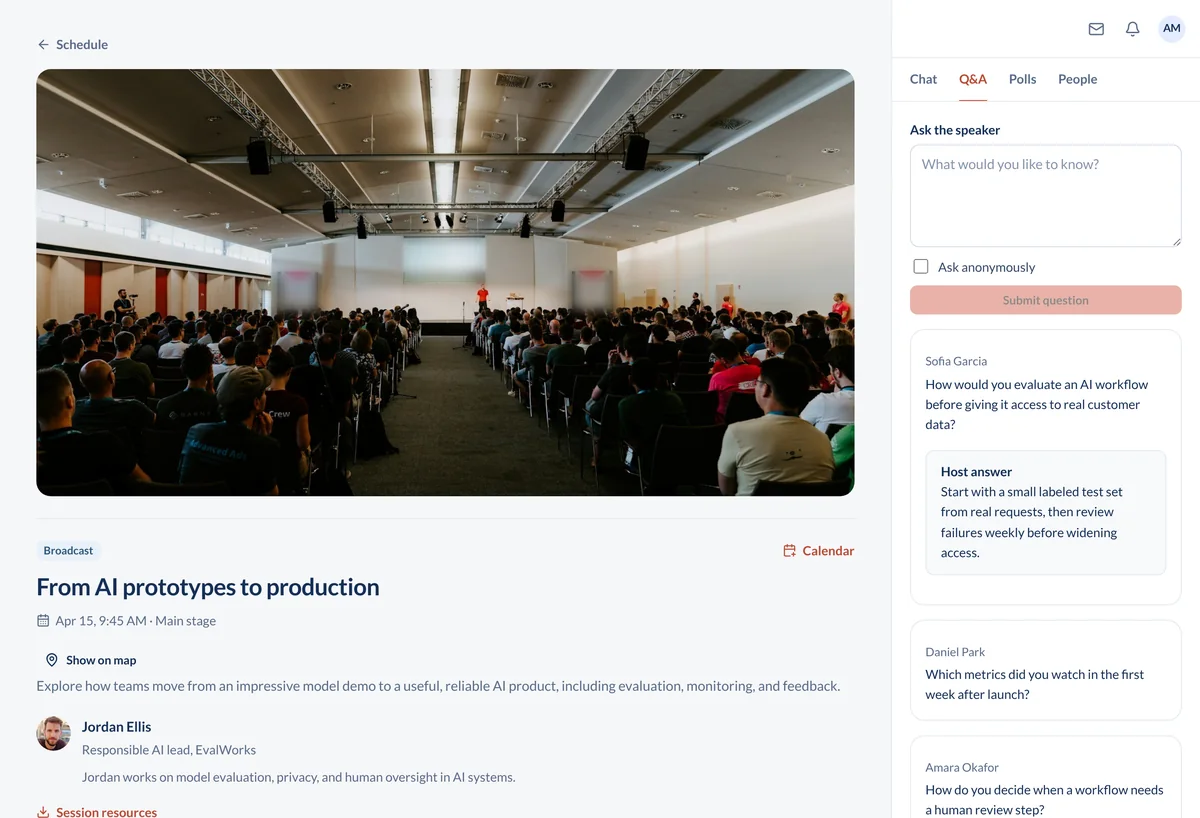
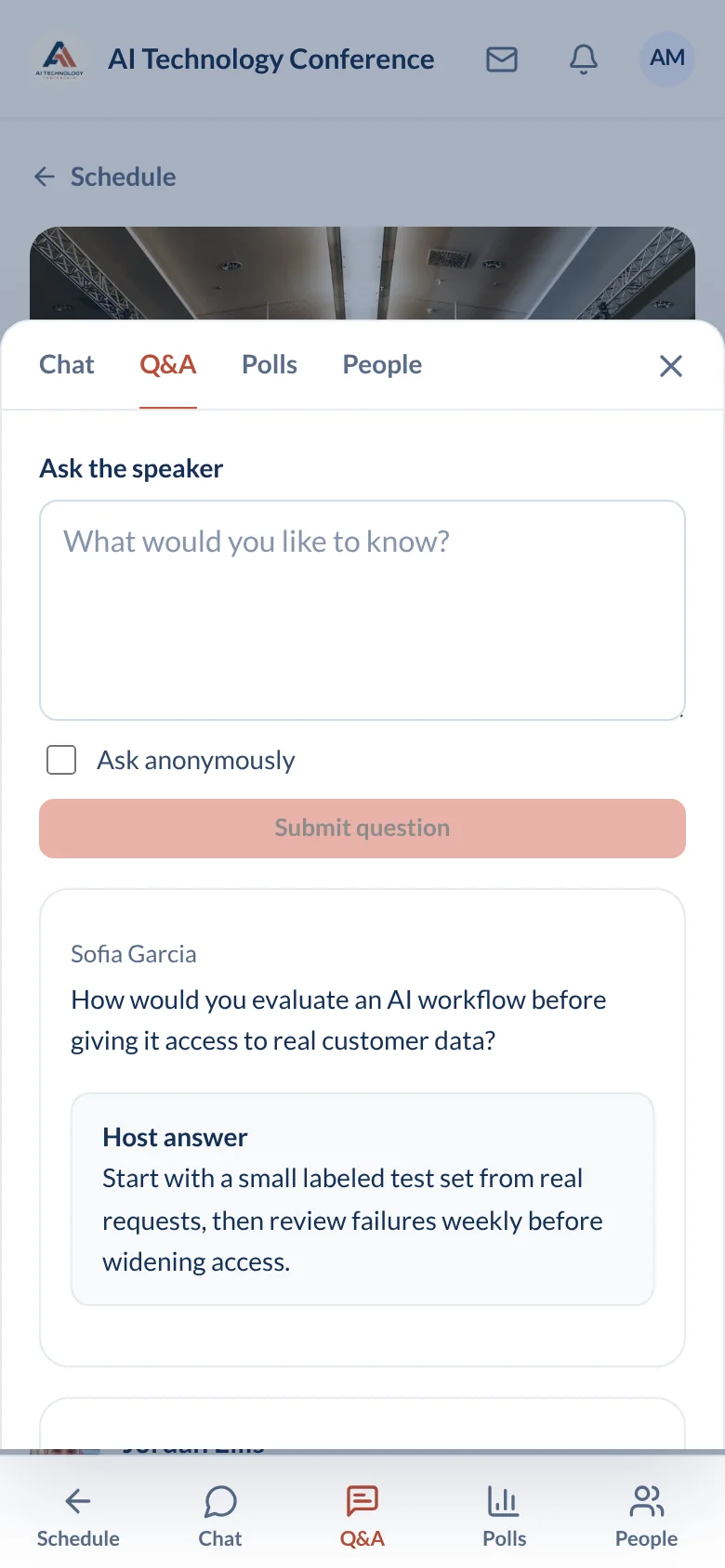
Live sessions with up to 15,000 attendees, breakout rooms, Q&A, polls, and chat, inside the same event that holds the agenda and the speakers. No meeting link to hunt for in an email.
How the day runs
A virtual conference fails in the gaps: between the email and the first click, and between one session and the next. Here is how the day goes when there are no gaps.
The week before. You build the agenda in the organizer portal at app.conferencetap.com: tracks, times, and speaker profiles. Every session gets its own live video room inside the event. You schedule two attendee emails, one the day before and one an hour before the keynote, that say open the event and tap the session you bookmarked.
Speaker setup. Ask each speaker to join their session from a laptop ten minutes early. Run a test poll. Confirm the moderator can see the Q&A and knows how to pin a message. That ten minutes is the difference between a calm session and a speaker typing "can you hear me" into chat.
The morning of. Post an event-wide announcement when the keynote opens. Attendees open the event on a phone or laptop, tap the bookmarked session, and the video plays with chat beside it.
When a session changes. A speaker's flight is late and the 2 pm panel moves to 3 pm. You change the time in the portal and every attendee's bookmarked session updates. You post an announcement. The moderator pins a note in the session chat, and because chat is persistent, anyone who shows up at 2 pm reads it.
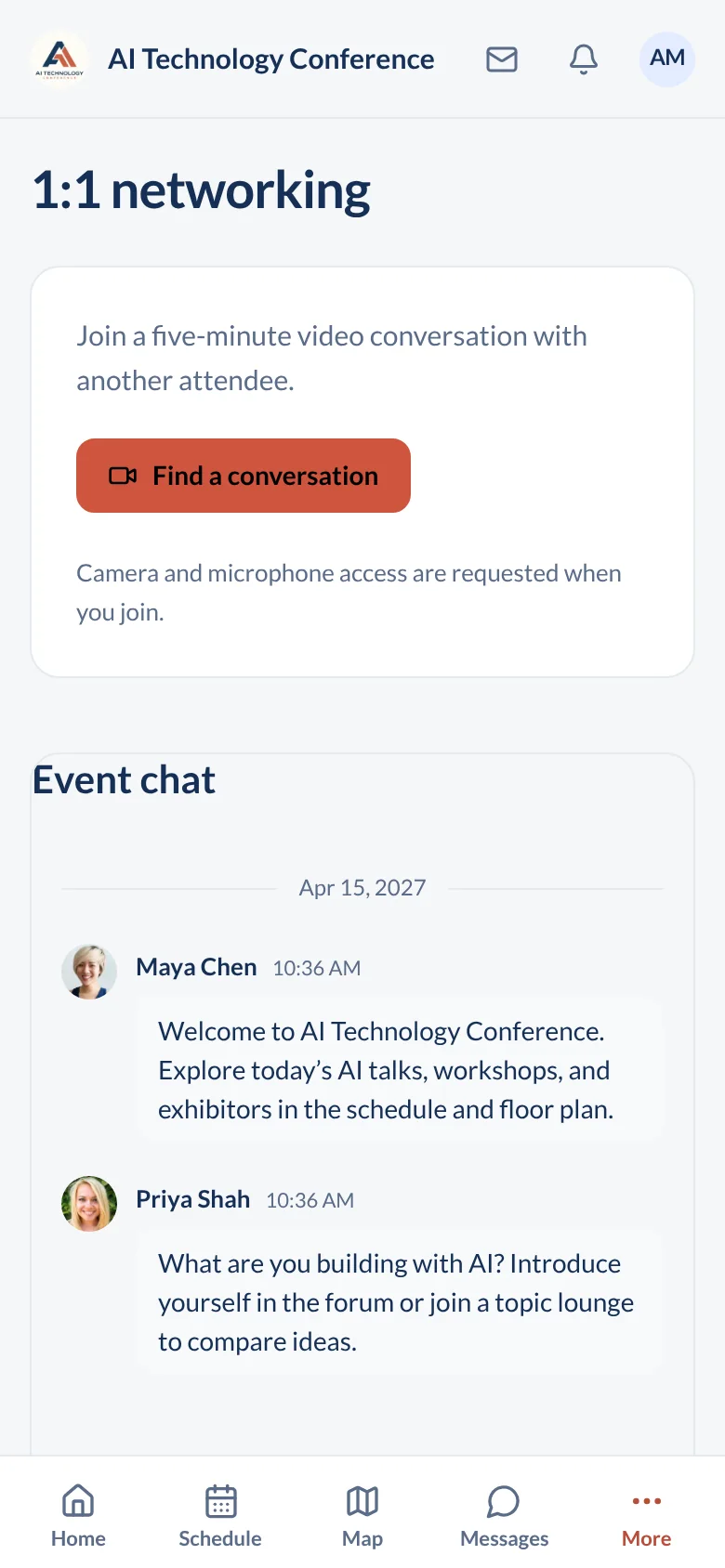
Between sessions. Attendees join 1:1 speed networking: random 5-minute video matches, with contact details shared only if both people choose to connect. The community forum and direct messages carry the hallway conversation a virtual event usually loses.
After. Recordings stay in the event, so the two sessions that clashed are both watchable. Export the analytics. Attendees can keep connecting with each other after the event ends.
The hard part of virtual: the drop after the keynote, and speaker setup
Every organizer who has run a virtual event knows the curve. The keynote fills, then the audience thins by the second session. Two causes: there is nothing to do between sessions, and joining each session feels like work.
For the first, the event is one place. An attendee moves from the keynote to the session chat to a speed networking match without leaving. Polls and Q&A give people a reason to stay in the session instead of drifting to their inbox.
For the second, the session lives in the agenda. No separate registration per session, no link buried in a calendar invite. Speakers get a moderator who can pin the slide link and delete anything that should not be there.
Your side of it: you produce the show. If you want a studio with a switcher, lower thirds, and a production crew, a dedicated broadcast tool does that better. And nothing we build will hold an audience through a dull fifty-minute talk. Keep sessions short and put a poll in the first five minutes.
Explore organizer tools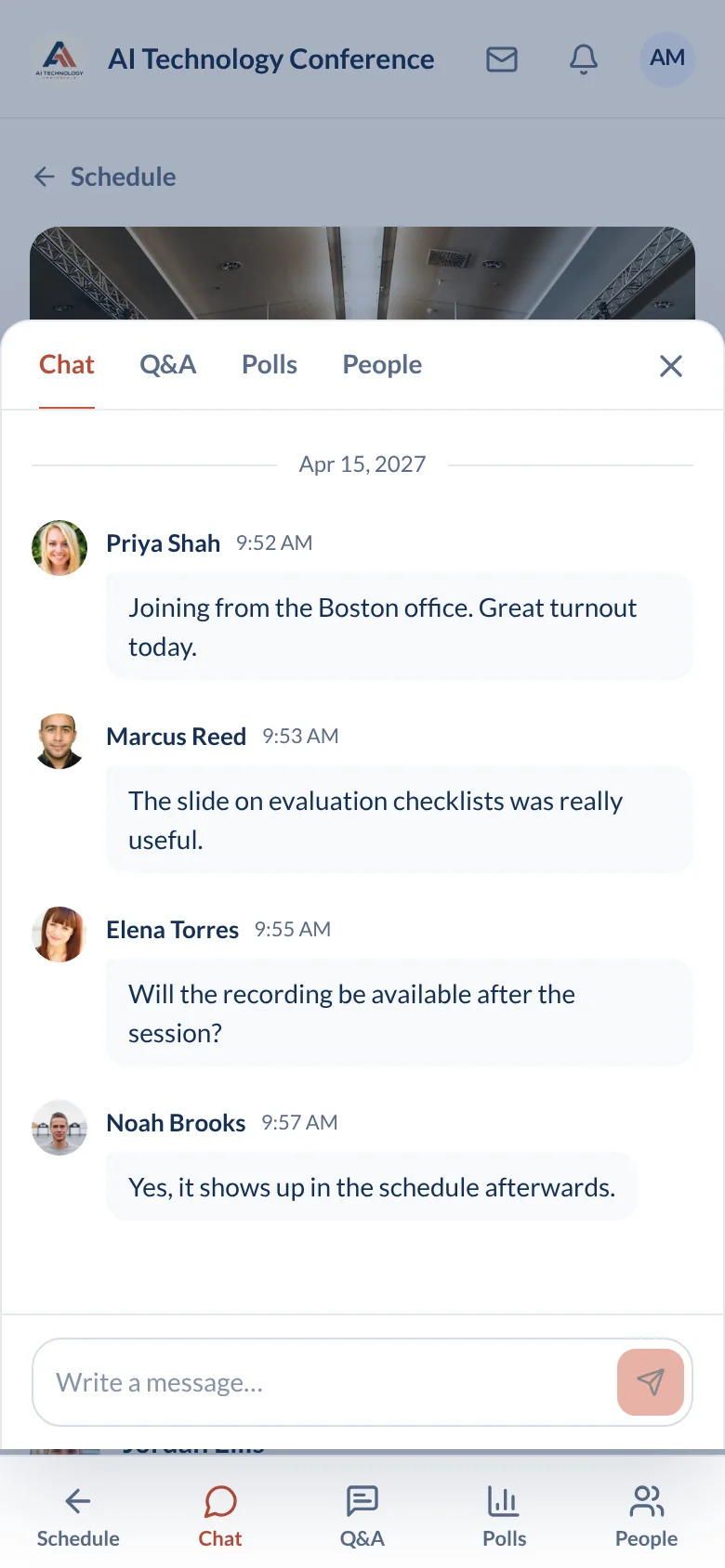
Questions organizers ask about virtual events
Do we need Zoom?
No. Live video sessions run inside the event. Speakers and attendees join from the agenda on a phone or laptop. There is no second tool to install and no separate meeting link to distribute.
How many people can watch one session?
Up to 15,000 attendees in one virtual or hybrid session, with no limit on how many sessions you run. Events can last up to 72 hours on both plans.
Can speakers share slides and use breakout rooms?
Breakout rooms are included. Split a large session into smaller rooms for discussion, then bring everyone back to the main session. For slides, we would rather show you than describe it: bring your deck to the demo and present it in a live session yourself.
Are sessions recorded?
Yes. Event recordings are kept, so an attendee who picked the other track at 2 pm can watch this one later. Session chat stays as well.
Built for conferences like yours

Open a real event agenda
Virtual, in-person, and hybrid formats are all included in both plans, along with unlimited live video sessions, unlimited registrations, white-label branding, and 1:1 onboarding.
View plans and fees