A hybrid event app for one event with two audiences
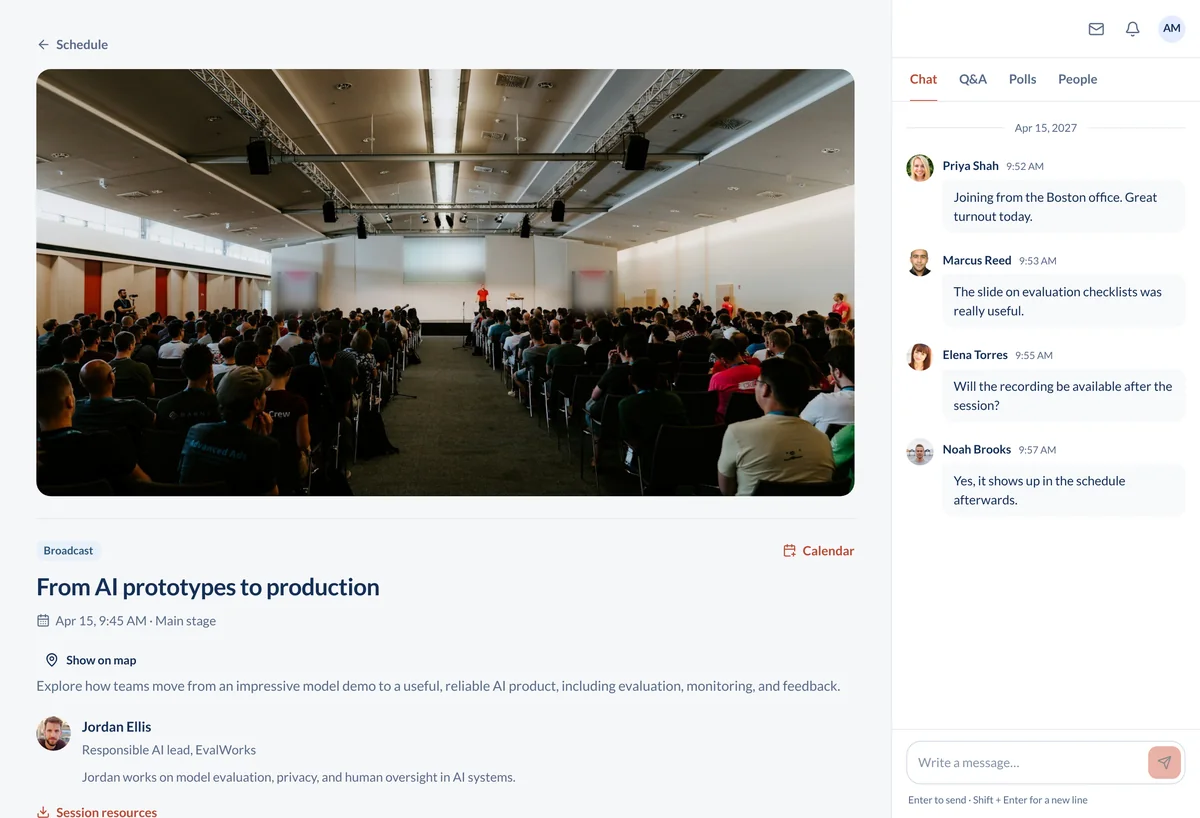
One agenda, one Q&A, one chat. The people in Room A and the people at home open the same event, bookmark the same sessions, and ask the same speaker their questions.
How the day runs
A hybrid event is two events until you make it one. Here is what that looks like in practice.
The week before
You build the agenda in the organizer portal at app.conferencetap.com. Each session gets a room location for the people at the venue and a live video room for the people at home. You upload the floor plan. You schedule an attendee email for the day before with the venue address for one audience and the join instructions for the other.
The morning of
Volunteers scan QR codes at the door from their own phones. Remote attendees open the event on a laptop and tap the keynote they bookmarked. The camera and audio feed from the keynote room go into that session, so when the speaker starts, both audiences are watching the same thing at the same moment.
When a session changes
The 2 pm panel moves to Room B. You change the room in the portal and every in-room attendee who bookmarked the panel sees Room B in their schedule. The remote attendee joins the same session from the same agenda, so for them nothing moved. You post an event-wide announcement anyway.
During a session
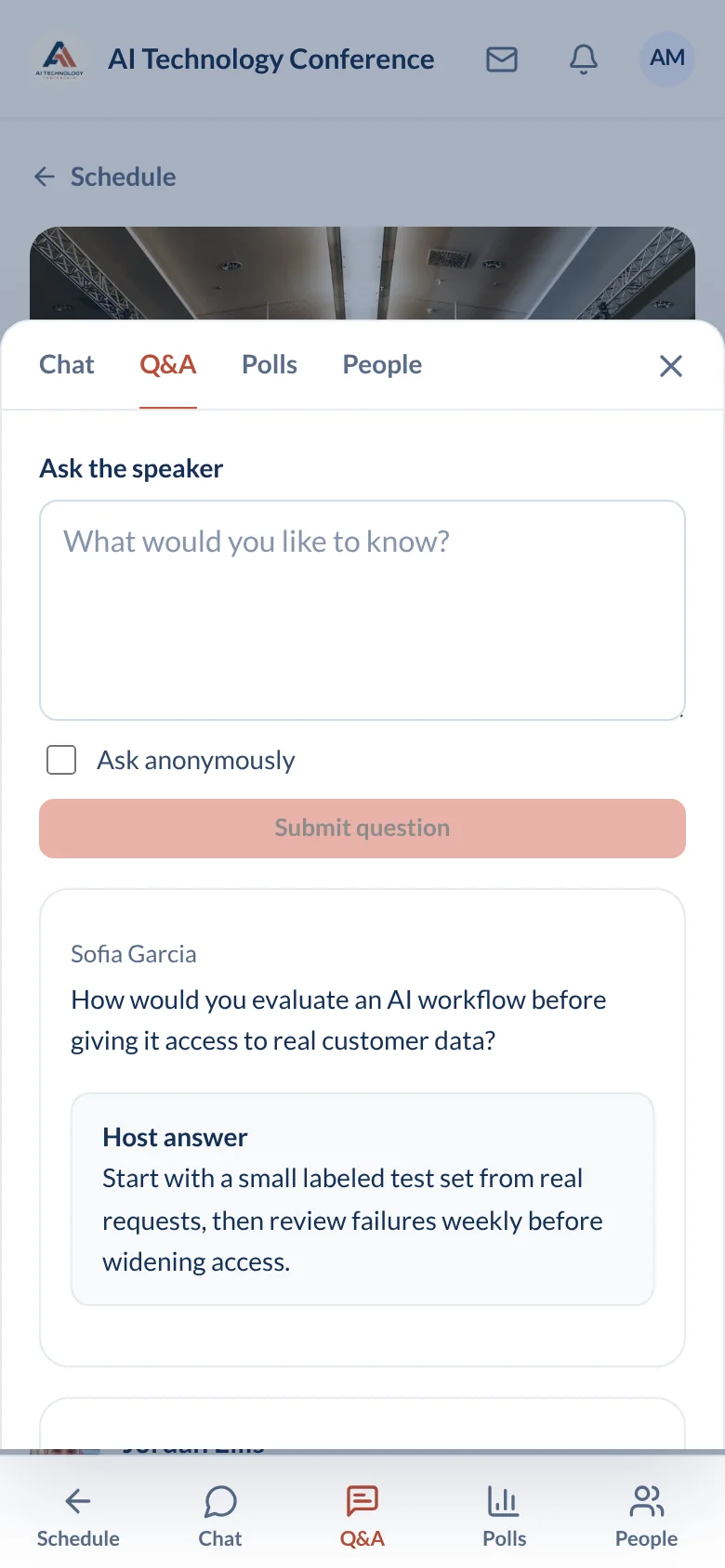
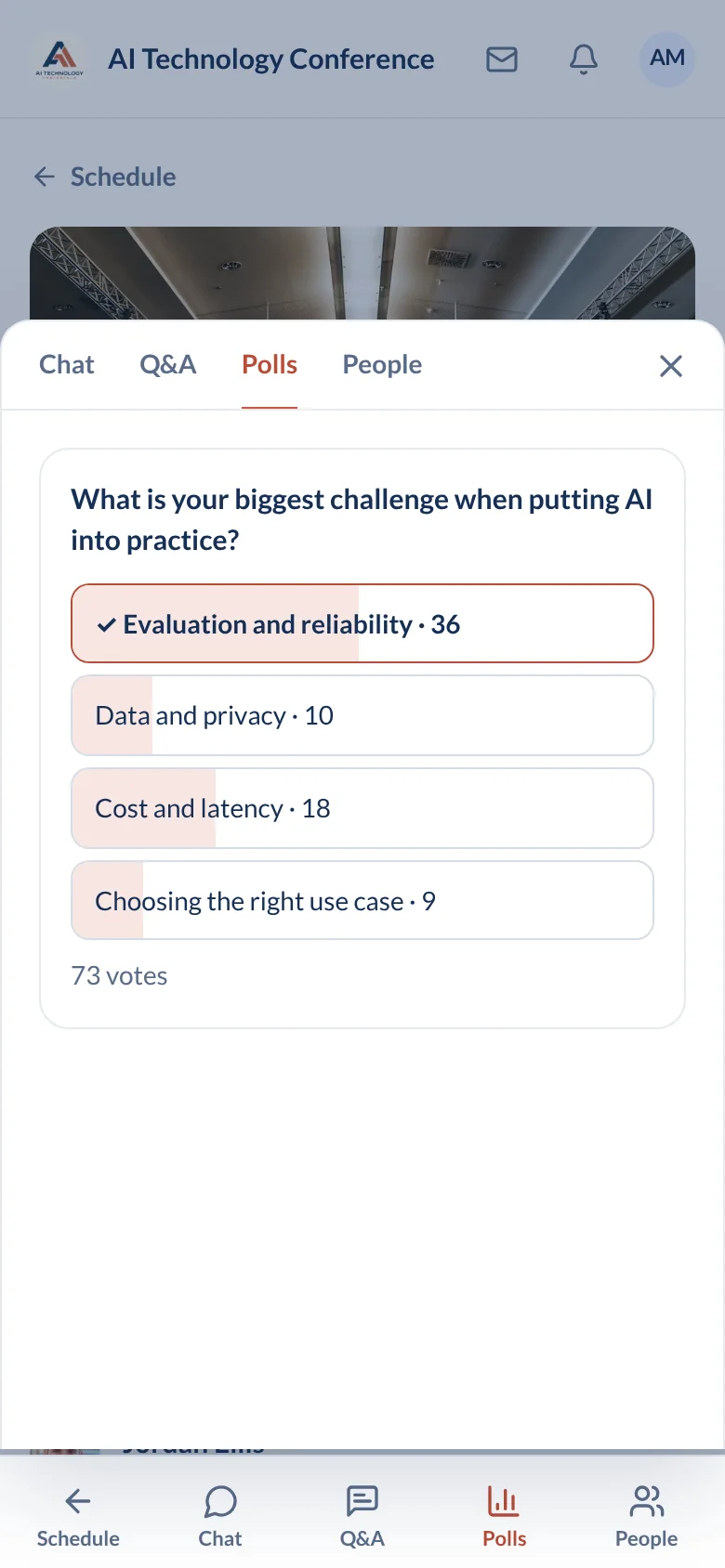
Both audiences ask in the same in-session Q&A, so the speaker sees one list. Poll results show in the session for everyone. The moderator pins the slide link and deletes the message that should not be there.
After
The recording stays in the event for both audiences. You export the analytics and the check-in list. Speed networking, direct messages, and the forum keep working after the event.
The hard part of hybrid: two audiences seeing two different events
The usual hybrid failure is that the remote audience is bolted on. The room gets a printed agenda, the remote crowd gets a meeting link in an email, and their questions arrive as text messages to a moderator who is also running the microphone.
The fix is not a second app. It is one event. Same agenda, same bookmarks, same speaker profiles, same sponsor pages for both audiences. A session is one object: it has a room location for the venue and a live video feed for everyone else. Q&A is one list. Chat is one persistent thread. Moderators pin and delete for everyone at once.
Up to 15,000 attendees can join one hybrid session, so the remote side is not capped below the room.
Your side of it: you supply the AV. The room needs a camera and an audio feed going into the session, and a person in the room who owns that feed. We do not send a crew, and a laptop webcam at the back of a 300-seat hall is not a remote experience anyone will sit through. Book AV the way you would for a livestream.
Explore organizer tools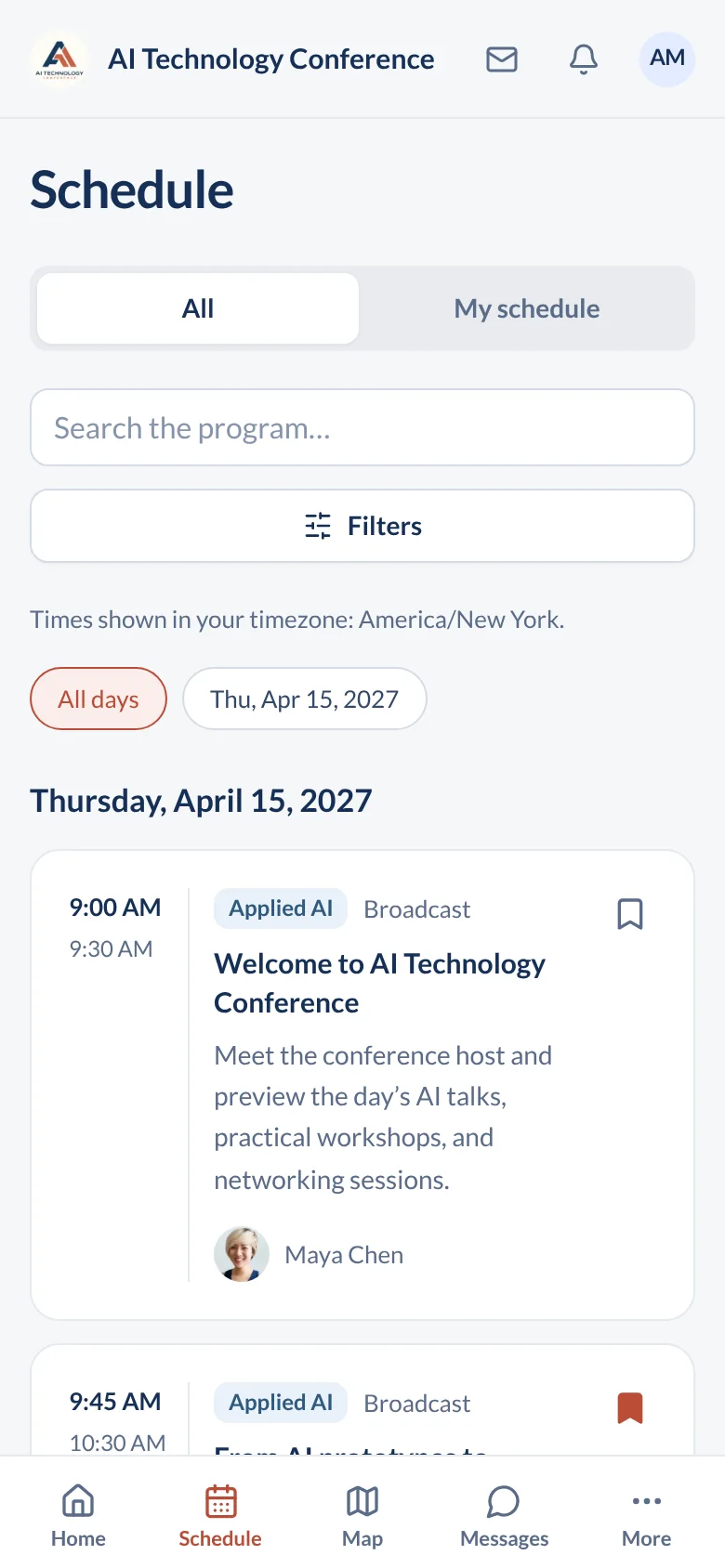
Questions organizers ask about hybrid events
Do remote and in-room attendees see the same agenda?
Yes. There is one agenda and one event. In-room attendees see room locations and the floor plan. Remote attendees join the live video from the same session in the same agenda. Both bookmark sessions, and a room or time change updates both.
How do remote attendees ask questions?
In the in-session Q&A, the same list the room uses. The speaker or a moderator picks questions up when the moment is right. Remote attendees also answer polls and post in the session chat, which stays after the session ends.
Can a session be in-room only?
Yes. Not every session needs a video feed. Give the session a room location, skip the live video, and write "in-room only" in the session description so nobody at home waits for a stream that is not coming.
What does the room need?
A camera and an audio feed going into the session. We do not supply AV crews. Sound is what remote audiences complain about first, so take the audio from the room mixer rather than a camera microphone. Put one person in the room on the Q&A so remote questions get read aloud.
Built for conferences like yours

Open a real event agenda
Hybrid, in-person, and virtual formats are all included in both plans, along with unlimited registrations, white-label branding, and 1:1 onboarding.
View plans and fees