Create your ticket options
Set up free and paid tickets, early-bird prices, and VIP tiers. Give each ticket type its own price and quantity.
Set up free or paid tickets, collect registrations, and scan attendees in with QR codes. ConferenceTap keeps registration with the agenda, speakers, and attendee app.
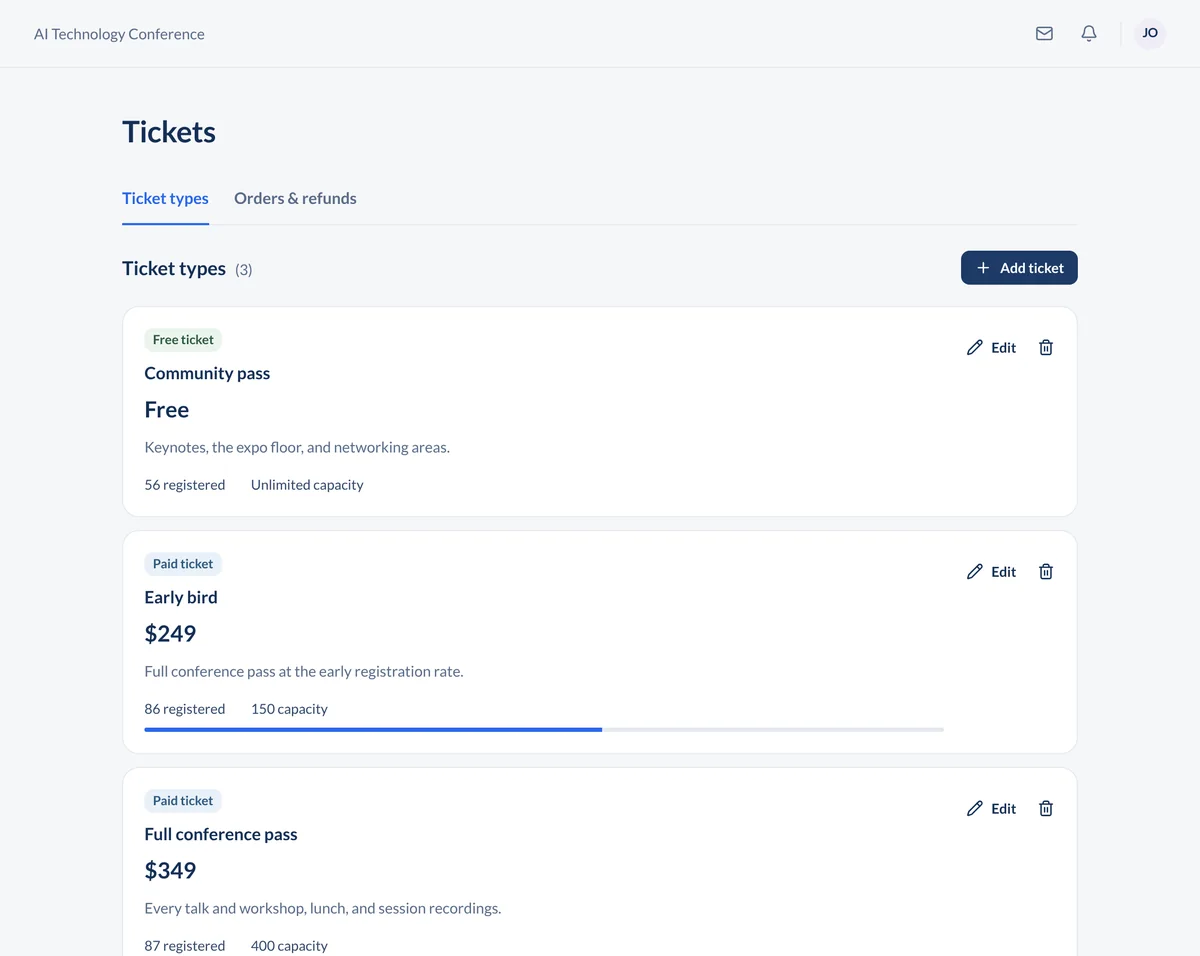
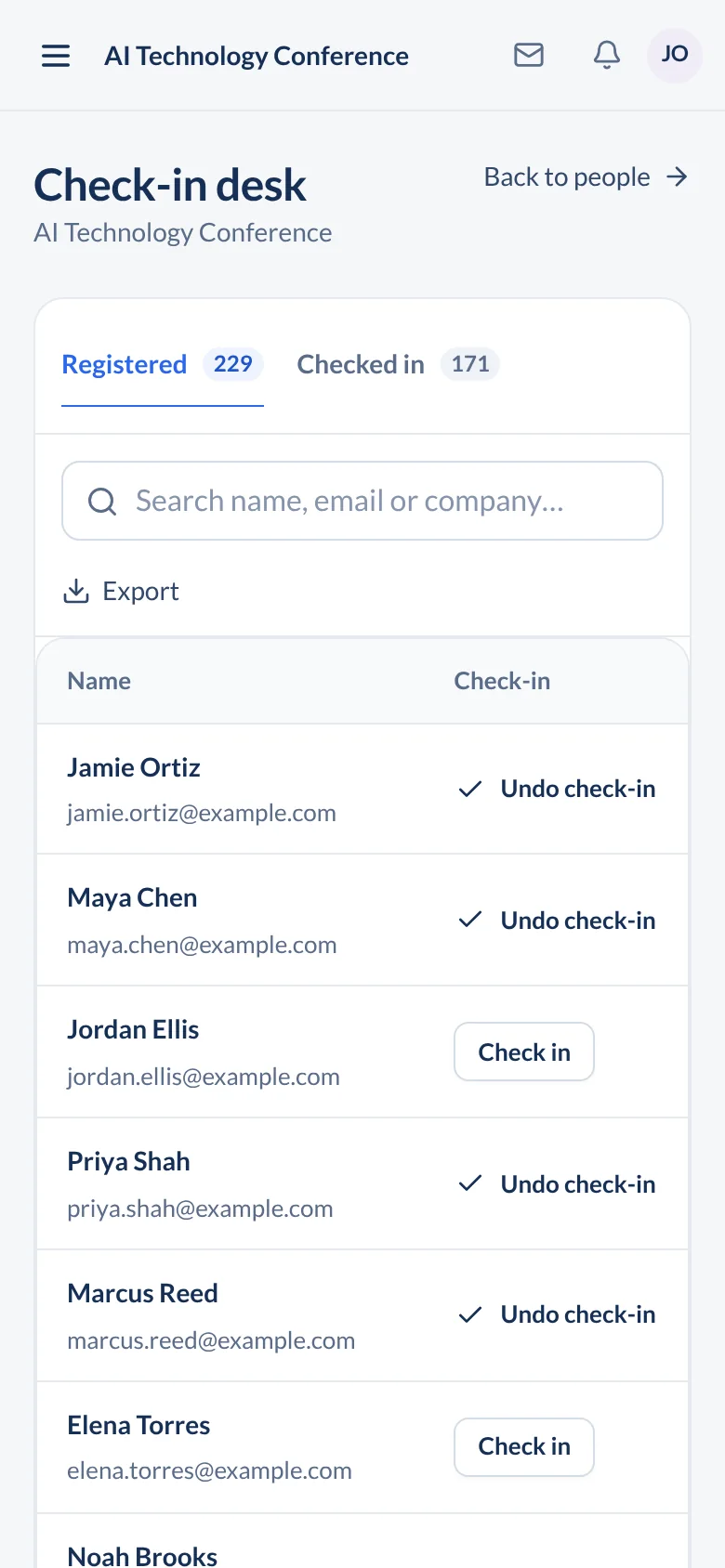
Use the same conference registration software to set up tickets, follow sign-ups, and check who's arrived.
Set up free and paid tickets, early-bird prices, and VIP tiers. Give each ticket type its own price and quantity.
Track ticket sales and revenue, deliver digital tickets, and connect registration data to other tools through Zapier.
Scan attendee QR codes from your phone or tablet and see arrivals in the organizer portal. You don't need to rent a scanner.

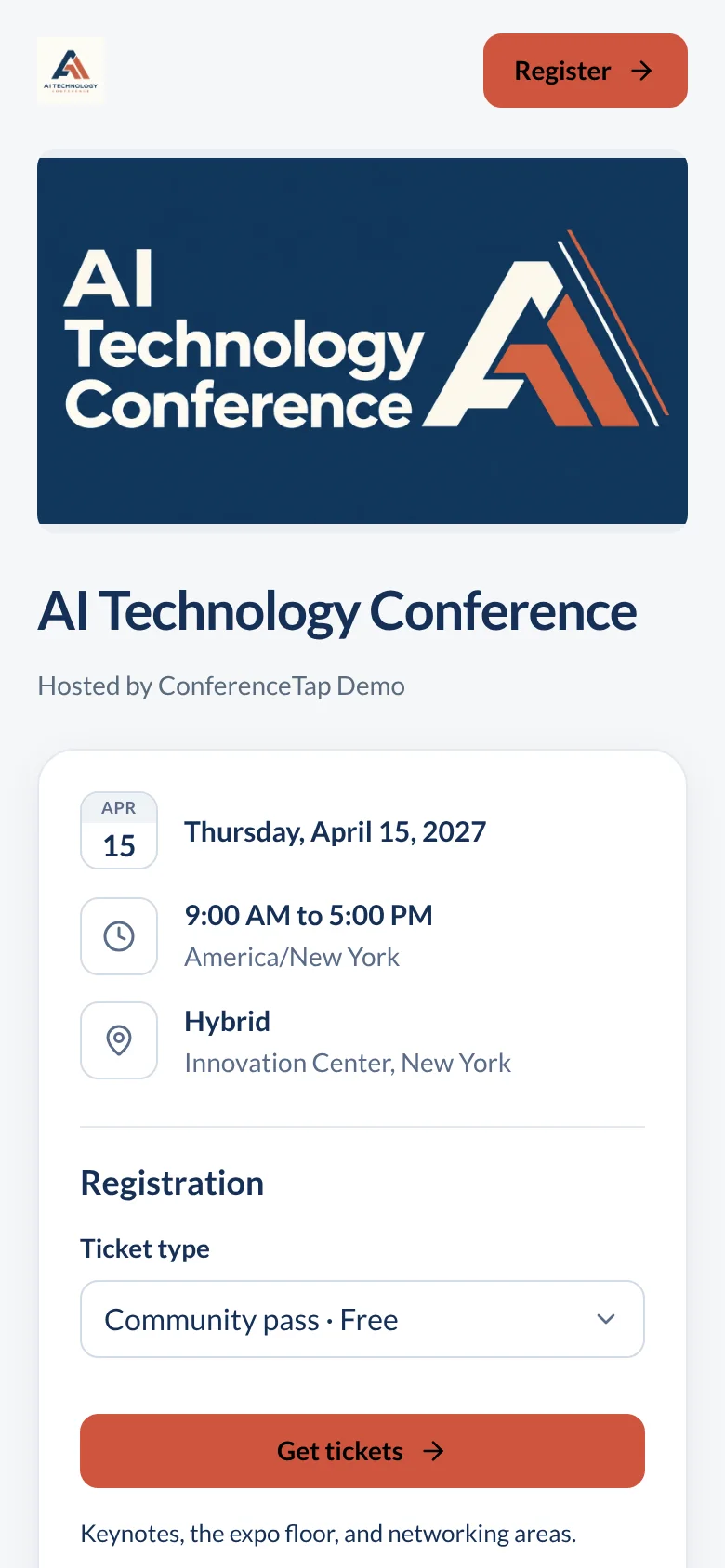
Give attendees your event details and ticket options on a page with your branding. After registering, they can open the agenda, find speakers, and use the attendee tools in the same platform.
Attendees use ConferenceTap in their browser and create a free account. Put that step in your joining instructions so people know what to expect.
Running a university symposium or association meeting? Use the academic event tools or association event setup alongside registration.
Explore the organizer toolsConferenceTap charges 3% on paid tickets, plus Stripe processing fees. Free tickets have no ticketing fee. Your One Event or Unlimited Events platform plan is quoted separately.
On a $200 ticket, our fee is $6. At Stripe's standard US domestic-card rate of 2.9% + $0.30, processing is $6.10. If you absorb both fees, you keep $187.90 before the separate platform cost.
That example assumes one ticket per transaction. Card type, country, currency conversion, and your Stripe agreement can change processing fees. See Stripe's current rates.
Where the money goes. You register as a seller with Stripe when you create paid tickets. Ticket revenue settles in your own Stripe account.
Refunds. ConferenceTap's 3% fee isn't returned when you refund a paid ticket. Stripe also keeps the original processing fee.
Planning your budget. Include the platform quote as well as ticketing and processing. The conference app cost guide works through a 400-ticket example.
Organizer logins are unlimited, so volunteers can scan from their own phones. A scan marks the attendee as arrived, and your team can follow the arrival count in the portal.
Scanning needs an internet connection. Test it at the actual check-in desk, keep a charged backup phone or hotspot available, and make sure staff know how to look up a registration when someone can't find their QR code.
Before doors open, run through a test registration, the confirmation email, and a scan. Have a volunteer do it on the device they'll use on the day.
For a larger arrival, the QR code check-in guide covers staffing, lanes, and a plan for weak Wi-Fi.
Bring your registration questions to a demo. We can walk through the organizer and attendee views with you.
Yes. There's no ticketing fee on free tickets. Your ConferenceTap platform plan is a separate quoted cost, so free registration doesn't mean the event app plan is free.
Yes. Import your attendee list from a CSV, or use Zapier to connect registration data with your other tools. Bring a sample of your current setup to the demo so we can agree on how the data will get into ConferenceTap.
Yes. Set up ticket types for a table or sponsor tier, each with its own price and quantity. In your demo, walk through how you'll collect guest details and handle those tickets at check-in.
No. ConferenceTap opens in the browser on a phone or laptop. Attendees create a free account to register and access the event.
Both plans include unlimited registrations, custom branding, and 1:1 onboarding.
View plans and fees