Live sessions with Q&A, polls, and breakouts, inside your event app
Run virtual conference sessions in the same app that holds the agenda, the speakers, and the chat. Up to 15,000 attendees can join one live session, and the recording stays for anyone who missed it.
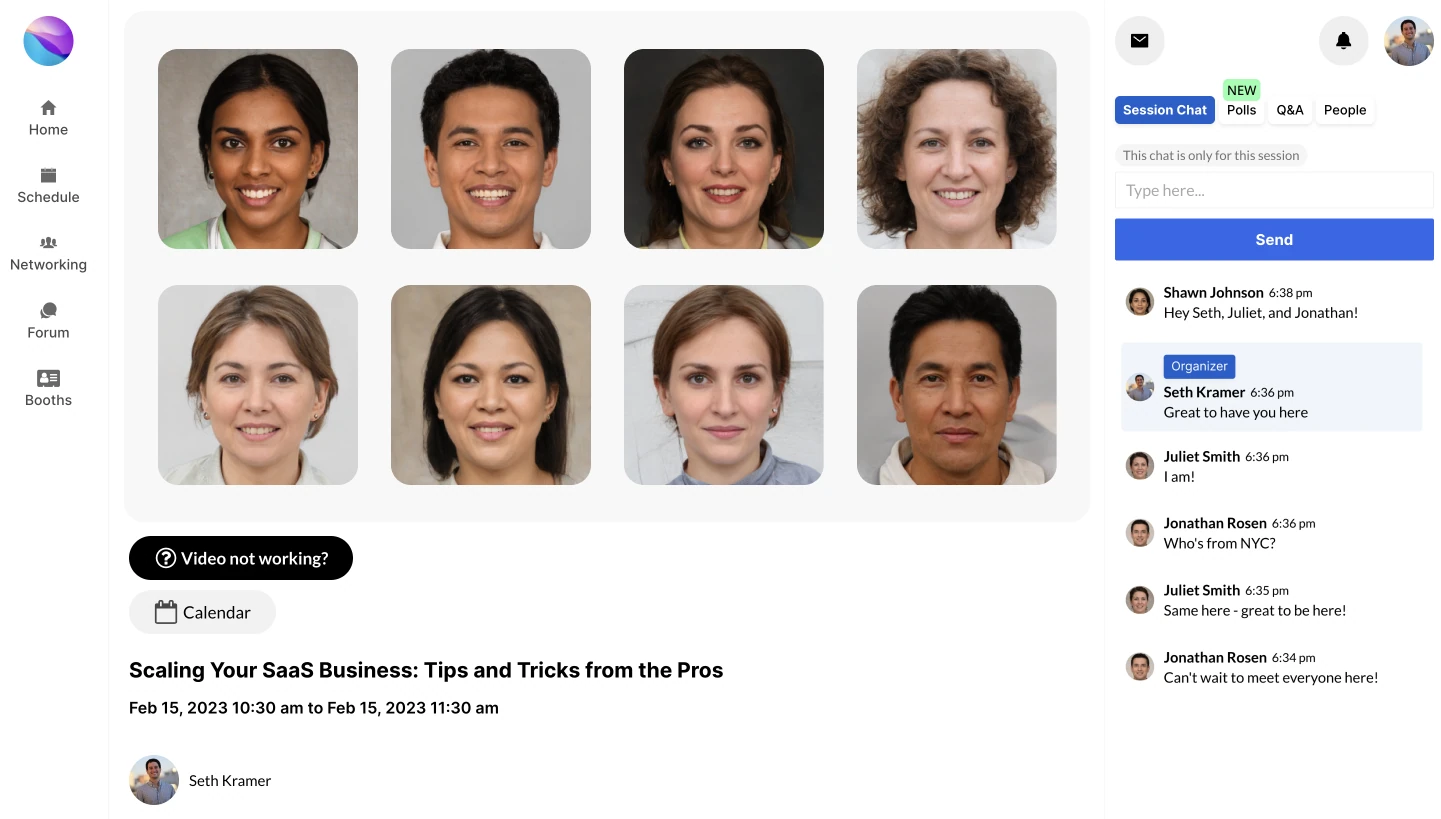
What a live session looks like for an attendee
An attendee opens the agenda on a phone or laptop, taps a session they bookmarked, and joins the video. Chat runs beside the stream. There is no second tool to open and no separate link to find in an email.
Ask without interrupting. Questions go into the session Q&A, where the speaker or a moderator picks them up when the moment is right.
Answer a poll and see the result. The speaker posts a poll, attendees answer from their screen, and the results show live in the session.
Talk in session chat. Each session has its own chat, separate from the event-wide chat. Messages stay after the session ends, so someone arriving ten minutes late can read what they missed.
Move to a breakout room. Split a large session into smaller rooms for discussion, then bring everyone back to the main session.
Watch it later. Event recordings are kept, so a session that clashed with another one is not lost.
How you run sessions from the organizer portal
You build sessions in the organizer portal at app.conferencetap.com. Each one gets a time, a track, its speakers, and, for the in-person side of a hybrid event, a room location. Attendees see all of it in the agenda.
When a session moves. Change the time or the room in the portal. The agenda updates for everyone, including the people who bookmarked that session. Post an event-wide announcement as well, so nobody sits in an empty room waiting for a talk that moved to 3 pm.
Moderation. Moderators can pin a message to the top of the chat, such as a link the speaker just mentioned, and delete anything that should not be there.
Hybrid rooms. The same session serves the people in the room and the people at home. Remote attendees ask questions in the same Q&A as the room, so the speaker sees one list.
Scale. Up to 15,000 attendees in one virtual or hybrid session, with no cap on how many sessions you run. Events can last up to 72 hours on paid plans.
What this is built for. Organizers who want video, chat, Q&A, and the agenda in one place, run by the same people who run the event. If you already have a broadcast studio and a production crew, our sessions can sit alongside it for breakouts and the hallway track.
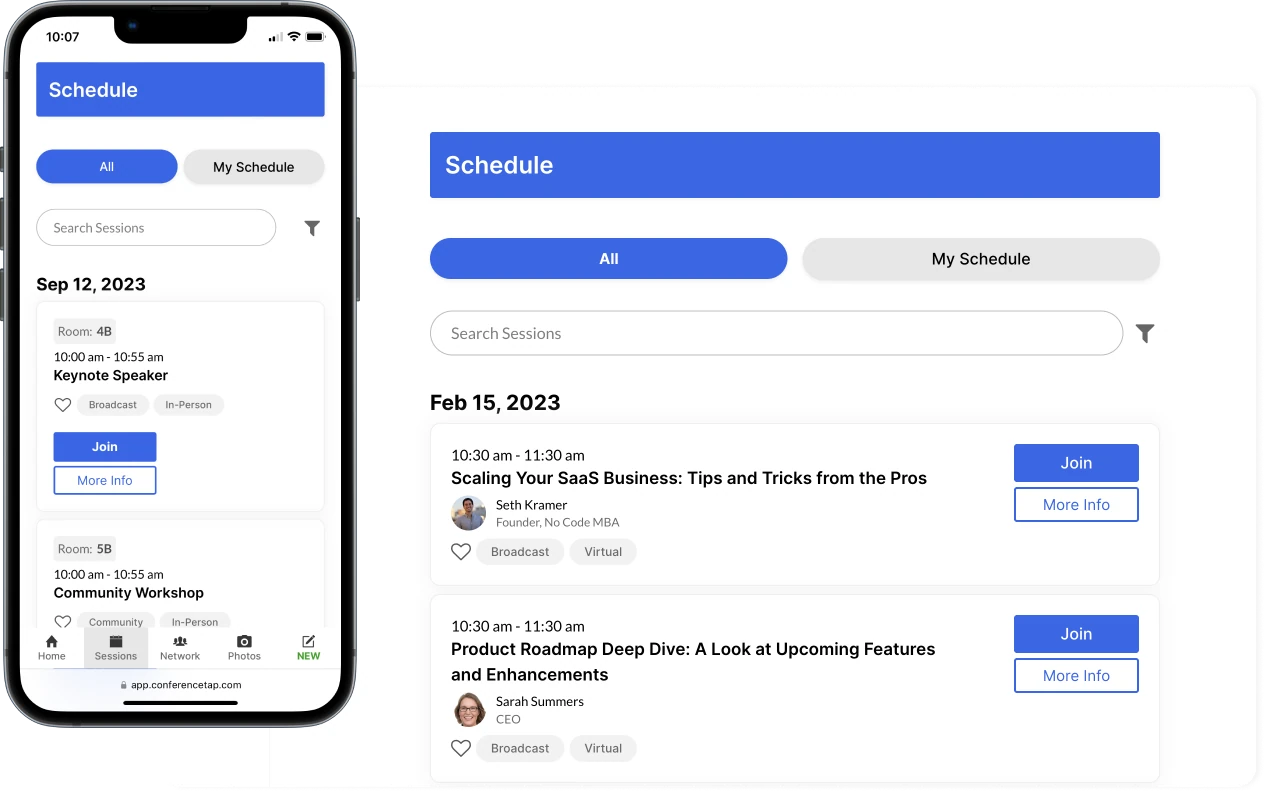
What is included with live sessions
- Unlimited live video sessions
- Up to 15,000 attendees in one virtual or hybrid session
- Breakout rooms for smaller group discussion
- In-session Q&A
- Live polls with results shown in the session
- Per-session and event-wide persistent chat
- Moderators can pin and delete messages
- Event recordings
- Multi-track agenda with personal schedules and bookmarks
- Speaker profiles and session room locations
Questions about live sessions
How many people can join one session?
Up to 15,000 attendees in one virtual or hybrid session. There is no limit on the number of sessions in an event. The free trial is limited to 100 registrations and events up to 2 hours, so test with a small group before you scale up.
Do attendees need to download anything?
No. ConferenceTap is a web app. Attendees open the event in the browser on their phone or laptop; there is nothing to install and no app store. They sign in to the free account they created at registration, find the session in the agenda, and join. The chat, Q&A, and polls are in the same screen as the video.
Does the chat disappear when the session ends?
No. Session chat and event-wide chat are persistent. Messages stay for the rest of the event, and moderators can pin or delete them at any point.
Can we run breakouts in the middle of a session?
Yes. Breakout rooms split attendees into smaller groups for discussion, then everyone returns to the main session. This is built for virtual and hybrid events; an in-person workshop does not need it.
Live sessions are part of the event app, not a separate product. Both paid plans include unlimited registrations, white-label branding, and 1:1 onboarding.
View plans and fees