Sched alternative: Sched pricing, strengths, and other options
Sched is a well-liked agenda builder for conferences, conventions, and professional development days. People look for a Sched alternative for two reasons: the price steps up with attendance, or they need live video and networking in the same app as the schedule. This page covers what Sched costs, what it does well, and the realistic options, ConferenceTap included.
Built for conferences like yours




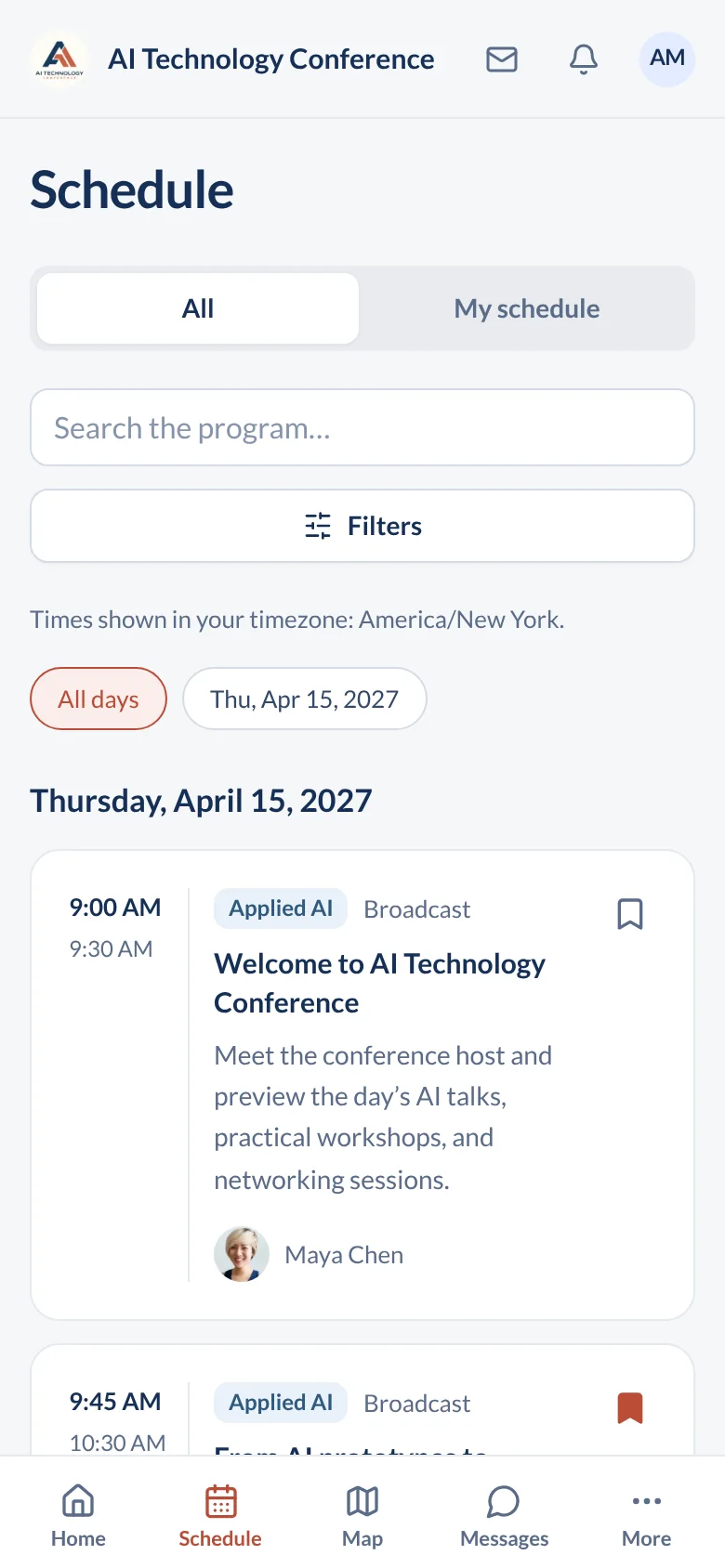
Open a real event agenda
What Sched does well
Sched started in 2008 and is built around the agenda. Attendees browse sessions, build a personal schedule, and sync it to their own calendar. Organizers can send push notifications when something changes. Speakers and sponsors have their own pages, and reviewers on TrustRadius credit Sched for hosting slides and session links on short notice. Sched also handles session capacity and waitlists, has a check-in app, shows the schedule on digital signage, syncs tickets from Eventbrite, and offers an API.
Attendees can use Sched's app for iOS and Android, which Sched says is available on every plan, or open the schedule in a browser. If you want your own app in the stores, Sched offers a branded native app as a higher tier. For multi-track technical and academic programs, where the schedule is most of what attendees need, Sched is a sensible choice, and many attendees will have used it before.
Pick Sched if your event is mostly an agenda: many tracks, room capacities, waitlists, and slides posted with each session. It also fits small teams who want a self-serve tool, and schools, nonprofits, and government groups who qualify for its discounts.
Look further if you need live video inside the app, attendee networking, sponsor booths, and a price that does not change with attendance. Sched's virtual sessions link out to tools such as Zoom, and Sched's help center says you need a Zoom account on the right plan.
What Sched costs
Sched publishes its plan names. Its pricing page lists Launch, Boost, and Ultra, plus Enterprise for on-premise hosting and custom work. Capterra lists starting prices of $600 for Launch, $1,500 for Boost, and $3,900 for Ultra. Capterra also notes a free version, a free trial, and discounts for education, nonprofits, government, and startups.
Attendance drives the total. Each plan covers a set number of attendees, and Sched sells more in blocks of 250 that count across your events for the year. Paid registration carries a Sched service fee; G2's listing says the Ultra plan reduces it. Sched has run time-limited discounts on these tiers, and third-party guides quote different numbers, so get a written quote for your real attendance.
Questions to put to Sched. How many attendees does my plan include? What does the next block of 250 cost? What is the service fee on a paid ticket? How many admin logins come with each plan? What changes at renewal?
How ConferenceTap prices it. One flat price per event, or one price for a year of events, quoted for your calendar. The price does not go up with attendance, organizer seats, or features. Paid tickets carry 3% plus Stripe processing; free tickets are free. See how the plans work.
ConferenceTap and Sched side by side
We only fill in what we can verify from a published source. Where we could not confirm a Sched detail, the cell tells you to ask Sched.
Scroll sideways to see all columns
| What to compare | ConferenceTap | Sched |
|---|---|---|
| Pricing model | Flat price per event or per year, quoted by email. No per-attendee fee. | Launch, Boost, Ultra, and Enterprise tiers. Capterra lists Launch from $600, Boost from $1,500, Ultra from $3,900. |
| Attendees included | Unlimited registrations. | A set number per plan. More are sold in blocks of 250, per Sched's pricing page. |
| Organizer logins | Unlimited. | G2 lists unlimited admins on Ultra. Ask Sched about the other plans. |
| How attendees get in | In the browser on any phone or laptop, with a free account. Nothing to install. | Sched app for iOS and Android on every plan, or the web. Branded native app as a higher tier. |
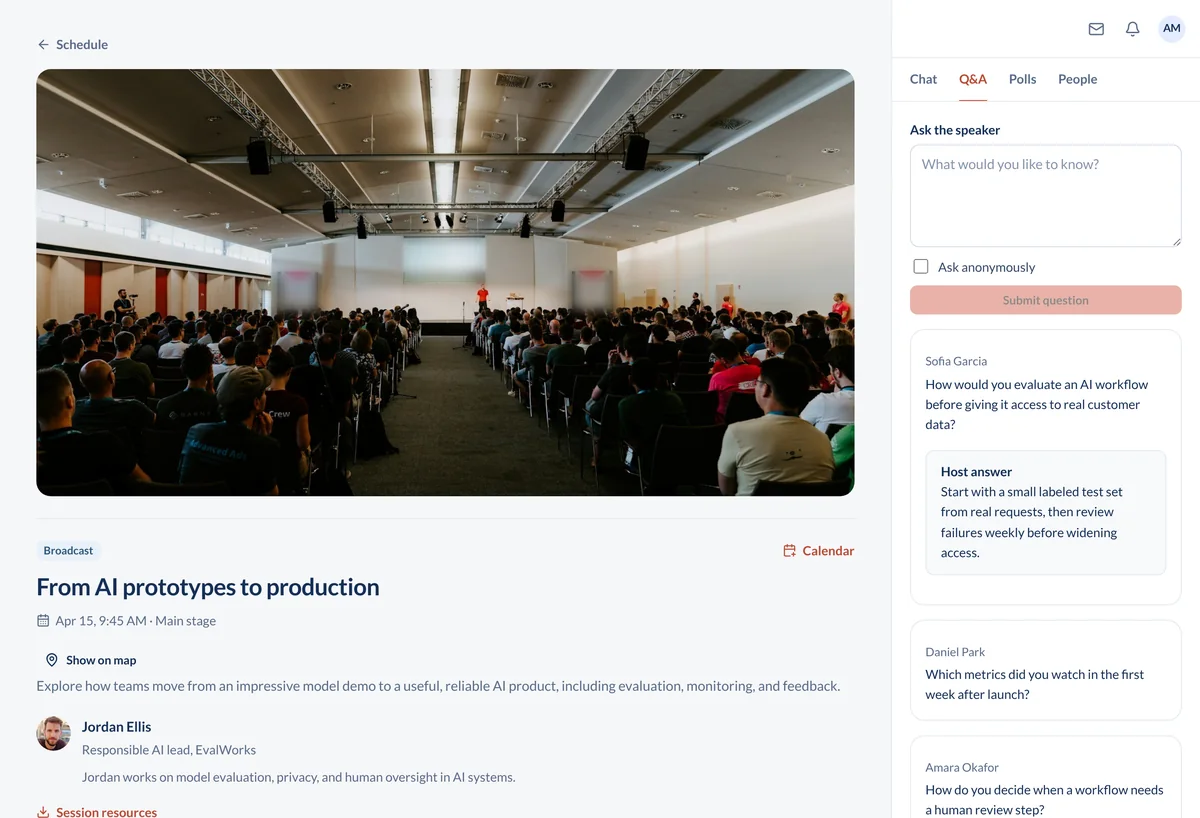
| Live video | Built in. Up to 15,000 attendees per session, with breakouts, Q&A, polls, and recordings. No Zoom license. | Links to Zoom, YouTube, Vimeo, Webex, or Teams. Zoom sessions need your own Zoom account. Virtual content is not shown in the iOS app. |
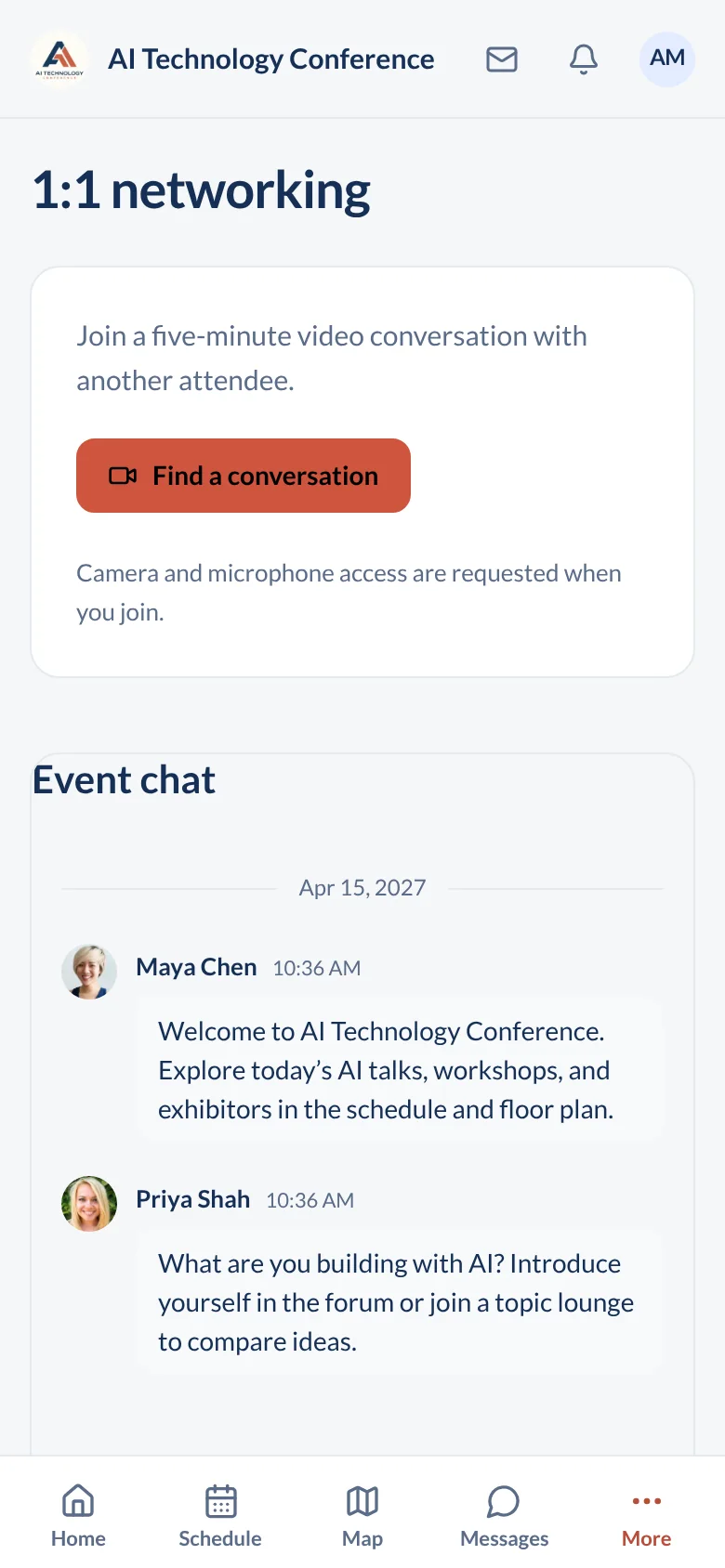
| Networking | Attendee directory, direct messages, forum, and 1:1 video speed networking. | Ask Sched. |
| Paid ticket fees | 3% + Stripe processing (2.9% + 30¢). No fee on free tickets. | A service fee on paid registration, lower on Ultra per G2. Ask Sched for the rate. |
| Check-in | QR check-in from any phone. | Check-in app, per its GetApp listing. |
| Session capacity and waitlists | Not on our published feature list. Ask us. | Included, per its GetApp listing. |
| Sponsors | Sponsor pages and expo booths. | Sponsor management, per its GetApp listing. |
| Onboarding | 1:1 onboarding and a designated customer success manager on both plans. | A dedicated event success manager on Ultra, per G2. Ask Sched about the other plans. |
| Discounts | Nonprofit discount on request. | Education, nonprofit, government, and startup discounts, per Capterra. |
Sources checked October 13, 2026: the Sched pricing page (plan names, Enterprise, attendee blocks of 250); Capterra's Sched pricing listing and Capterra profile (starting prices, free version and trial, discounts, founding year); G2's Sched pricing listing (Ultra features); Sched's app page (iOS and Android, branded apps); Sched's help center on Zoom and video content; GetApp's Sched listing (feature list); and TrustRadius reviews of Sched. Third-party prices can lag the vendor's. ConferenceTap details are from conferencetap.com and our knowledge base on the same date. Confirm current terms with each provider before you sign.
Other Sched alternatives worth a look
There is no single best replacement. The right one depends on whether you are replacing the agenda, the whole event app, or both. These are the options most organizers compare.
Sessionize is built around the call for speakers. If what you like about Sched is the speaker workflow, Sessionize collects submissions, runs reviews, and builds the schedule from accepted talks.
Whova is a full event app with networking that many attendees already have installed. It quotes by request. See our Whova comparison.
Guidebook builds native event and campus guide apps, with no per-attendee fees for mobile apps. See our Guidebook comparison.
EventMobi covers registration, a branded app, badge printing, and virtual events, priced per event or per year. See our EventMobi comparison.
ConferenceTap fits when you want the agenda, live sessions, networking, sponsors, and check-in in one browser app at one flat price. See what is included.
What to check before you leave Sched
Do this with your real agenda and made-up attendee records. It takes an afternoon.
- Export your sessions, speakers, and attendee list from Sched while your plan is active. Note which fields come out and in what format.
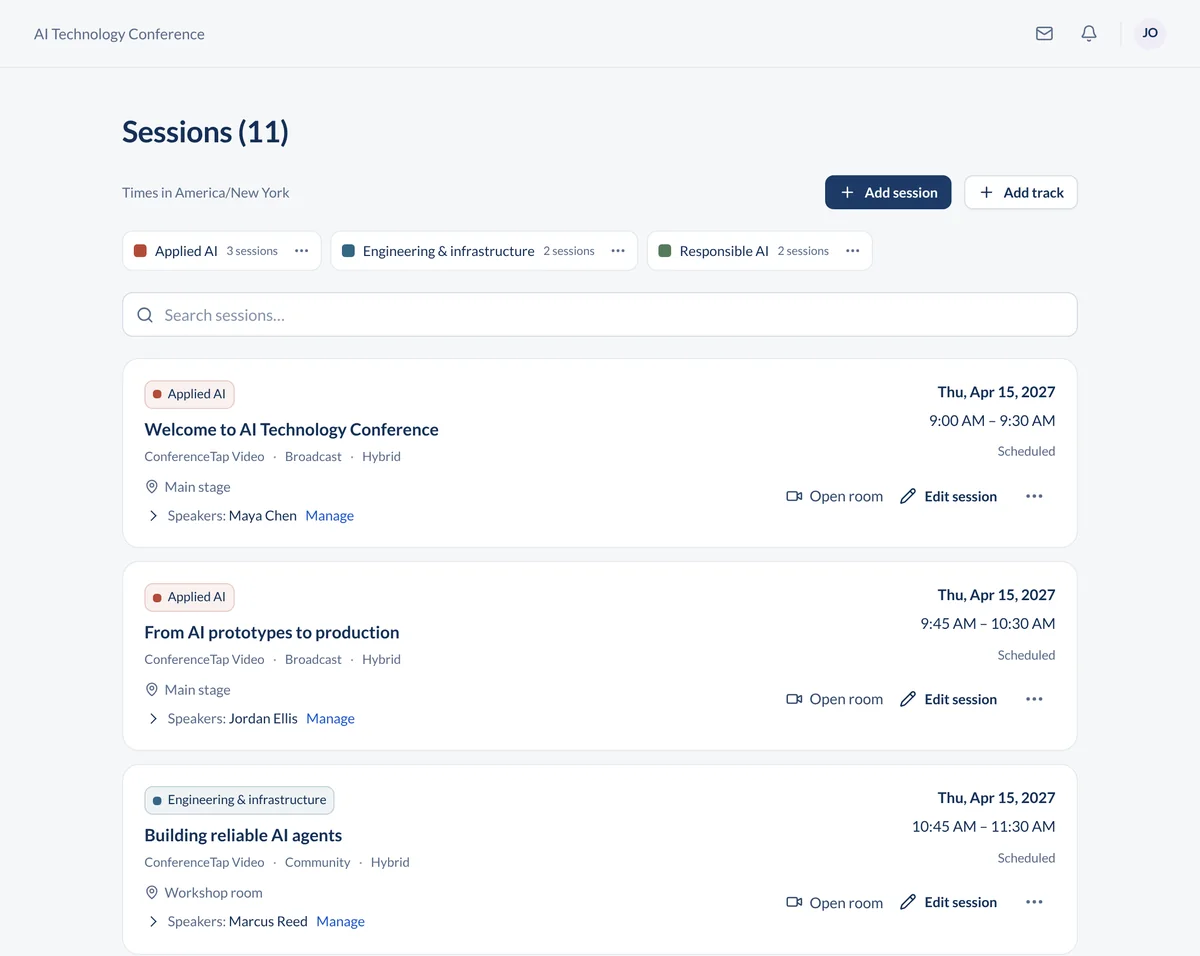
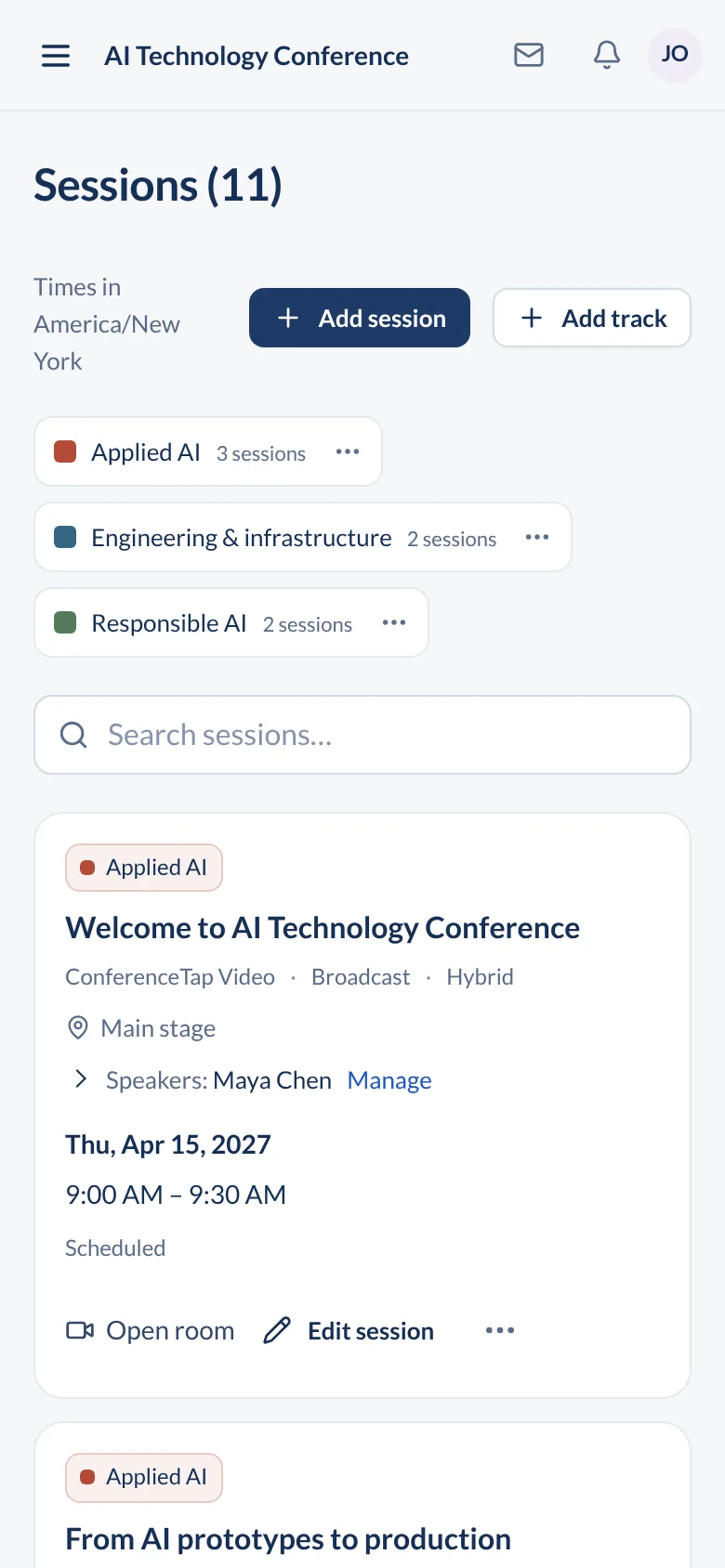
- Ask us to load a sample agenda with at least two tracks. Open it on a phone and check every session, room, and speaker.
- Rehearse a last-minute change: move a talk to another room and time how long it takes attendees to see it.
- If you used Sched with Zoom, run a test live session in ConferenceTap with a few colleagues. Try Q&A, a poll, and a breakout room.
- Import your attendee list from a CSV, or set up registration and ticket types on a ConferenceTap registration page.
- Get both totals in writing: platform, extra attendee blocks, and ticket fees.
These are evaluation steps, not a promise that every Sched field maps cleanly into ConferenceTap. Download the quote comparison worksheet (CSV) to keep both quotes side by side.
Questions about Sched and its alternatives
How much does Sched cost?
Sched sells Launch, Boost, Ultra, and Enterprise plans. As of October 13, 2026, Capterra lists starting prices of $600 for Launch, $1,500 for Boost, and $3,900 for Ultra. Each plan includes a set number of attendees, and Sched sells more in blocks of 250. Paid tickets carry a service fee. Sched has run time-limited discounts, so ask for a written quote at your expected attendance.
Is there a free version of Sched?
Capterra lists a free version and a free trial for Sched. Ask Sched what the free version includes and how many attendees it allows before you plan around it.
Sched vs Whova: which is better?
They solve different problems. Sched is strongest as an agenda: personal schedules, session capacity, waitlists, and speaker uploads, with published plan tiers. Whova is a full event app with attendee networking and quotes each event by request. If your attendees mostly need to find the right room, Sched is enough. If they need to meet each other and join live sessions, compare Whova, ConferenceTap, and the others above.
Can ConferenceTap replace Sched and Zoom together?
Yes. Live video sessions are built in, with up to 15,000 attendees per session, breakouts, Q&A, polls, chat, and recordings, and no Zoom license. The agenda, speakers, and attendee directory are in the same browser app.
Do attendees need to download an app?
Not with ConferenceTap. Attendees open it in the browser on any phone or laptop and use a free account created at registration. Sched offers both an app and a web version.
Can I see ConferenceTap with my own agenda first?
Yes. Book a demo and we will build a sample of your event with you, so you can try the attendee app and organizer tools before you decide.
See your Sched agenda running in ConferenceTap
Bring your agenda and your attendance numbers. We will show you the attendee view, the organizer portal, and the price for your event.
- Your tracks, rooms, and expected attendance
- What you export from Sched and what you link out to today
- Your timeline, branding, and budget