Branded registration pages and attendee emails from one portal
Your event registration page, a white label event app in your colors with your logo, and scheduled attendee emails, all managed in the same organizer portal as the agenda. Branding is included in both paid plans, not sold as an add-on.
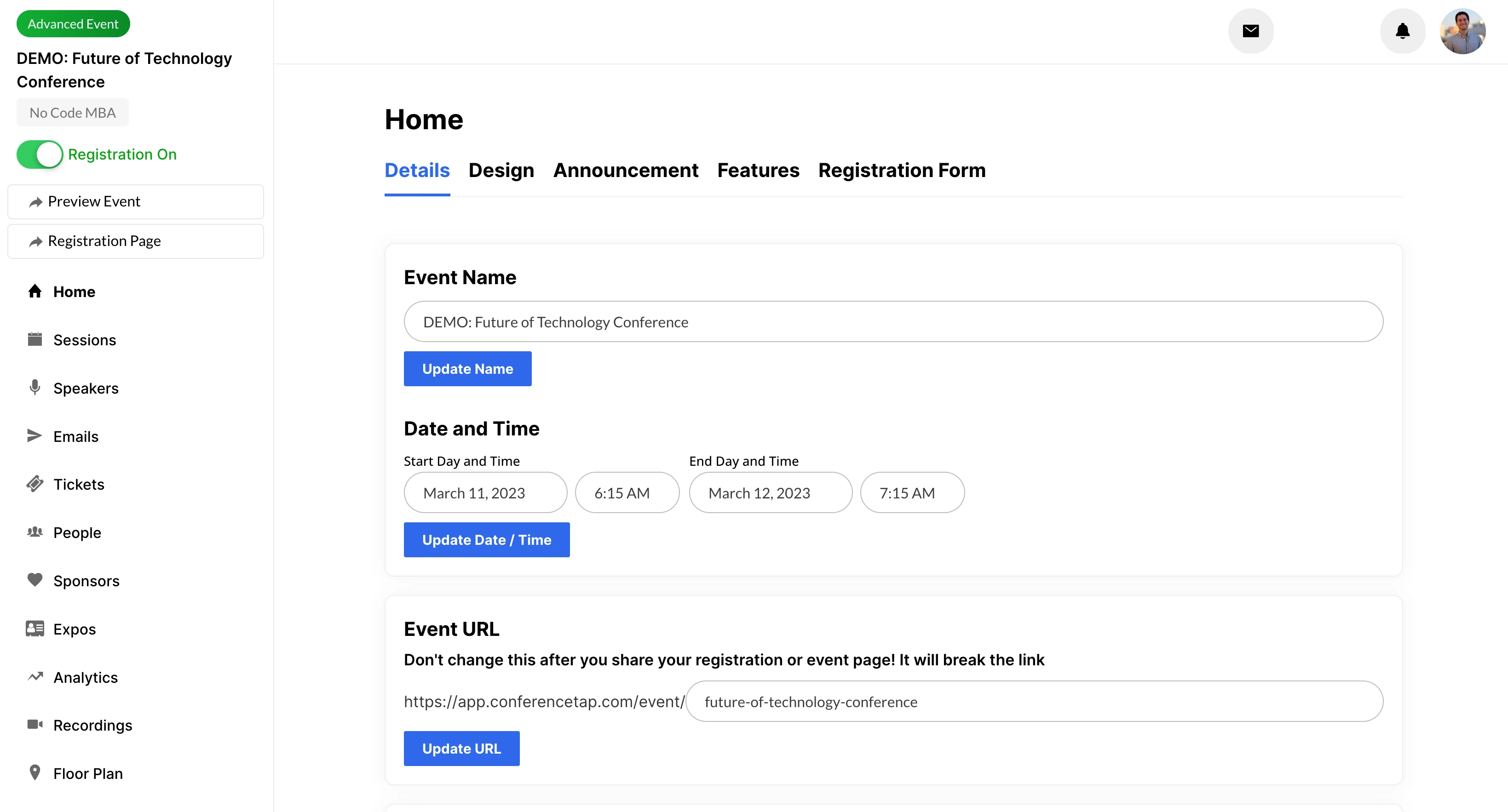
A registration page that looks like your event, not ours
Three settings do most of the work. Set them once and they apply everywhere an attendee looks.
1. Choose your event color. It is applied across the registration page and every event page, so the app matches the banner in the hall and the deck on stage.
2. Add your logos. Your company logo and your event logo, plus a custom banner. On both paid plans, the ConferenceTap logo is removed. Attendees see your event, not a vendor.
3. Build the registration page. Event information, the schedule, speakers, and sponsors on one page, with free and paid tickets and any custom registration questions you need. Share one link everywhere.
What the attendee gets. A page that answers the questions they have before paying: who is speaking, when, and what it costs. The same branding carries into the app they use on the day, on a phone or a laptop.
Attendee emails, scheduled from the portal
Once people register, the questions start. Where do I park, has the keynote moved, is there a recording. The portal has two tools for that.
Scheduled attendee emails. Write the email in the portal, pick the send time, and it goes to your registrants. A week-before reminder, a day-before logistics note, and a thank-you with the recordings can all be queued before the event starts.
Personalization with custom fields. Add each attendee's first name to the email with a custom field, so the reminder reads like it came from a person.
Event-wide announcements. For the change that cannot wait for an email, post an announcement in the app. Everyone at the event sees it, whether they are in the room or at home.
What this is built for. Emails to the people who already registered: joining details, schedule changes, reminders, and follow-up. For acquisition campaigns, keep the email platform you already use and send registrations to it through Zapier, so the two tools do the jobs they are each good at.
Measure what happened
Advanced analytics with data export are included in both paid plans. Track the event while it runs, then download the data when it ends.
During the event. Watch registrations, session attendance, and engagement in the portal as they happen, so you know by lunch which afternoon room needs more chairs.
After the event. Export the data and use it where you already work: a board report, a sponsor recap, or next year's planning spreadsheet.
What is included for branding and email
- Registration event website with schedule, speakers, and sponsors
- Free and paid tickets with custom registration questions
- Custom event color applied across all event and registration pages
- Company and event logos, plus a custom banner
- ConferenceTap logo removed on both paid plans
- Scheduled attendee emails with first-name personalization
- Event-wide announcements
- Advanced analytics with data export
- Zapier for passing registration data to your email platform or CRM
- Unlimited organizer logins
Questions about white label event apps and emails
Does the ConferenceTap logo show up on our event?
Not on a paid plan. White-label branding on both the One Event and Unlimited Events plans removes the ConferenceTap logo and applies your event color and custom banner across the app and the registration page.
Is custom branding an extra charge?
No. It is included in both paid plans. For comparison, Bizzabo's pricing page on September 17, 2026 lists custom branding among its premium add-ons, priced separately from a plan that starts at $17,999 per year. See our Bizzabo comparison.
Can we personalize the emails?
Yes. Custom fields let you add each attendee's first name to a scheduled email. Emails go to people who registered for your event.
Can we send something during the event?
Yes, two ways. Schedule an email for a time during the event, or post an event-wide announcement in the app for anything urgent, such as a room change.
Branding, attendee emails, and analytics with data export are included in both paid plans, along with unlimited registrations and 1:1 onboarding.
View plans and fees